

The NTS Portal Login 2026 allows candidates to access their accounts, complete their profiles and apply for jobs, admissions and tests conducted through the National Testing Service (NTS) Pakistan. New applicants can create an account, while registered candidates can log in using their CNIC or passport number and password.
Candidates should keep their account information up to date and regularly check their portal for application status, provisional candidate lists, written-test roll number slips, physical-test updates, interview lists and results. The availability of these updates depends on the relevant NTS project.
Read Also: CM Punjab Youth Games 2026–2027 Registration – Online Apply, Last Date and Schedule
NTS Portal Login 2026
Candidates can access the NTS Candidate Portal to manage their applications online. Before logging in, keep your registered CNIC or passport number and password ready.
The portal provides options for candidate login, new user registration and password recovery. If you are applying for the first time, you must register before submitting an application.
| NTS Portal Information | Details |
|---|---|
| Organization | National Testing Service (NTS) Pakistan |
| Portal | NTS Candidate Portal |
| Login ID | CNIC or passport number |
| Registration | Available for new candidates |
| Main purpose | Jobs, admissions and test applications |
| Other services | Profile management and application tracking |
| Roll number slips | Available for relevant tests |
| Password recovery | Forgot Password option |
How to Register on the NTS Portal for the First Time
Candidates who have never used the NTS Candidate Portal should create an account before applying for an advertised job or test.
Follow these steps to complete your registration:
- Open the NTS Candidate Portal.
- Select the Sign Up option.
- Enter your first name and last name.
- Select your nationality.
- Enter your CNIC, B-Form or passport information, as applicable.
- Provide your mobile phone number.
- Enter a valid email address.
- Create a strong password.
- Confirm your password.
- Read and accept the terms and conditions.
- Submit the registration form.
After completing these steps, use your registered credentials to access your candidate account.
Important: Enter your personal details carefully. The registration instructions state that the CNIC, mobile number and email address cannot be changed after registration. Pakistani applicants should enter their CNIC without dashes where instructed by the portal.
Read Also: Punjab Police Jobs 2026 Online Apply 3565 Constable & Traffic Assistant Vacancies announced
NTS Candidate Portal Login Method
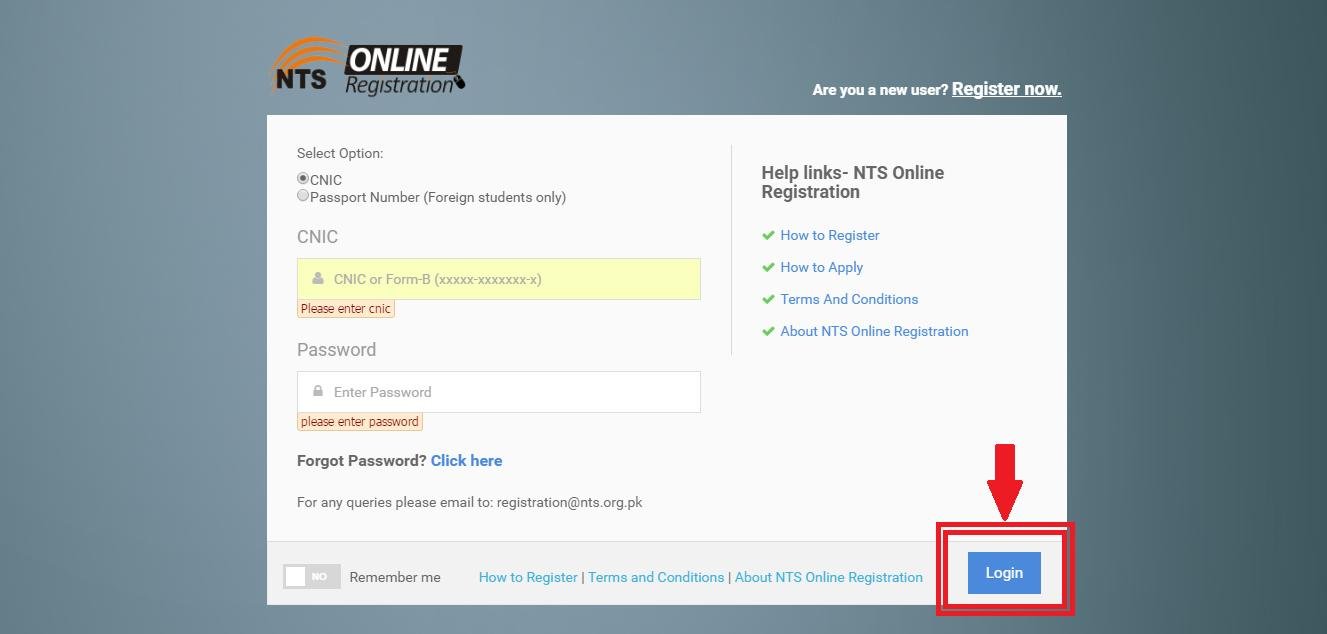
If you already have an NTS account, follow the login procedure below.
- Open the NTS Candidate Portal.
- Enter your CNIC or passport number in the Login ID field.
- Type your registered password.
- Select the Login button.
- Open your candidate dashboard.
- Check your profile and complete any missing information before applying.
If your account opens successfully, you can review available projects and manage your applications according to the instructions for each recruitment or testing project.
Read Also: Rescue 1122 Jobs 2026 KPK Online Apply @www.rescue.gov.pk
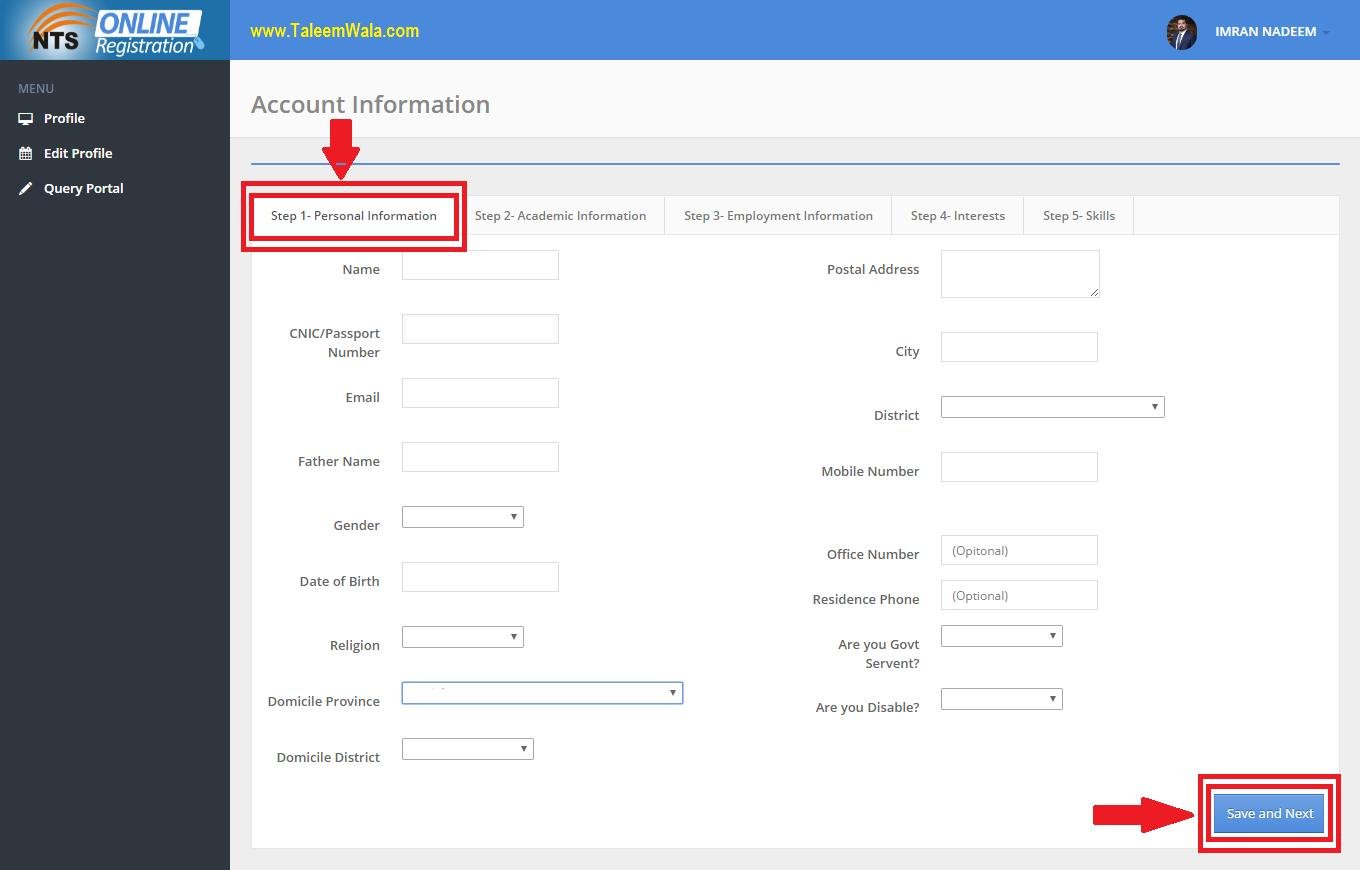
How to Complete Your NTS Candidate Profile
Completing your profile is an important step before applying for an NTS job or test. Missing or incorrect information may cause problems during application processing.
Depending on the requirements of the relevant project, candidates may need to provide the following information:
- Personal details and CNIC information
- A recent profile photograph
- Mobile number and email address
- Current and permanent postal addresses
- Academic qualifications and certificates
- Employment history, where applicable
- Other information requested for a specific post
Check your information before saving it. Make sure your name and identification details match your official documents, and provide a valid postal address and city.
How to Apply for NTS Jobs After Login
After completing your profile, you can check the open applications available through the portal.
Follow these steps to apply:
- Log in to your NTS candidate account.
- Open the available applications or projects section.
- Find the job, admission or test for which you want to apply.
- Select the relevant project and post, where applicable.
- Choose your preferred test city if the option is available.
- Enter the additional information requested in the application.
- Review your personal details and qualifications.
- Read and accept the applicable terms and conditions.
- Submit your application.
- Complete the required fee payment process, if applicable.
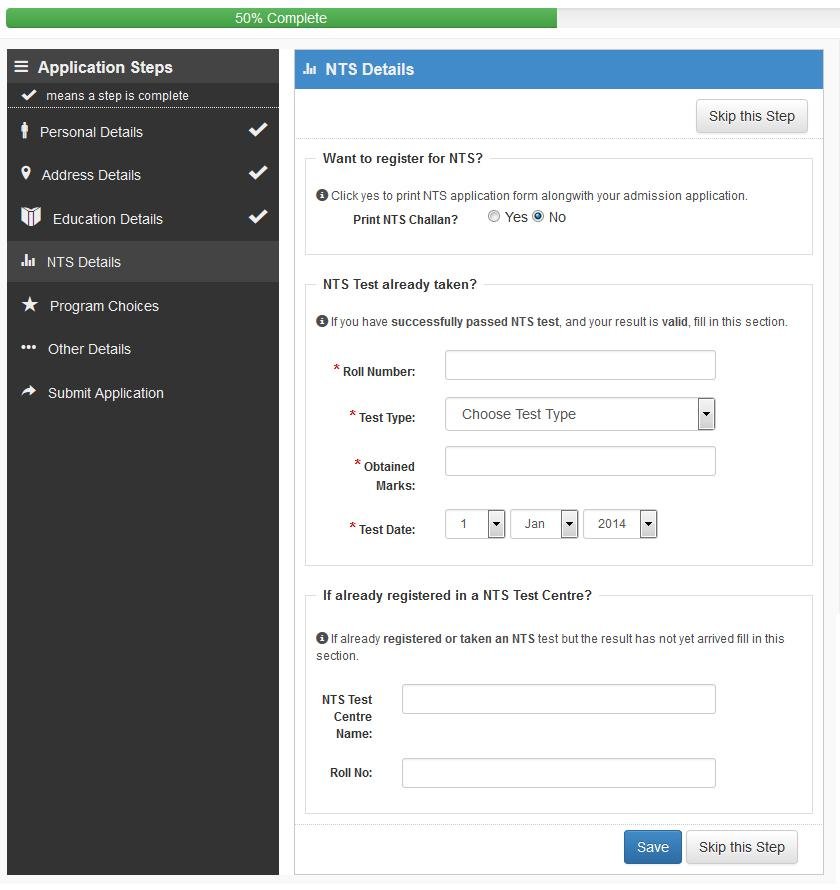
Save your application details and payment receipt, where provided. Also, check the project advertisement for eligibility criteria, required documents, application deadlines and fee instructions.
Submitting an application does not automatically mean that you are eligible for the test. Your application must be processed according to the relevant project’s requirements.
NTS Portal Forgot Password – How to Recover Your Account
If you have forgotten your NTS password, use the password recovery option instead of creating another account.
Follow these steps:
- Open the NTS Candidate Portal login page.
- Select Forgot Password.
- Enter the identification information requested by the portal.
- Provide your registered email address and other required details.
- Follow the recovery instructions to reset your password.
- Return to the login page and access your account with the updated password.
If you cannot recover your account, verify that you are using the same identification details and email address provided during registration. Contact NTS through its official support channels if the problem continues.
NTS Roll No Slip 2026 After Login
Candidates applying for NTS tests should check their accounts regularly for roll number slips and examination announcements.
A roll number slip may include important information such as the candidate’s name, roll number, test date, reporting time, test centre and examination instructions. The exact details depend on the relevant test.
How to Check Your NTS Roll Number Slip
- Open the official NTS website or Candidate Portal.
- Find the relevant test or project.
- Open the written-test or roll number slip section.
- Search for your test using the available identification details.
- Download or print your slip if it has been issued.
Some NTS tests may also involve SMS notifications. However, candidates should not rely only on text messages. Check the official announcements to confirm whether the slip is available.
Before attending the examination, carefully review your test centre, reporting time and instructions. Bring the identification documents required by the relevant NTS test notice.
NTS Candidate Lists and Interview Updates
NTS may publish different lists and recruitment updates during the selection process. These updates vary by project and are not necessarily released on the same date.
| Update | What Candidates Should Check |
|---|---|
| Provisional list | Candidate details and preliminary application status |
| Eligible candidates list | Whether the application meets the stated requirements |
| Written-test roll number slip | Roll number, test date and examination centre |
| Physical-test list | Physical assessment details, where applicable |
| Interview list | Interview schedule and required documents |
| Test result | Marks or result information when officially announced |
If your name does not appear on a list, read the relevant notice carefully. Some projects provide a period for corrections or objections, while others follow different procedures.
Always check the advertisement or official project notice for the applicable schedule and instructions.
NTS Portal Login Not Working – Common Problems and Solutions
Candidates may occasionally face login problems because of incorrect credentials, registration details or technical issues.
| Problem | Possible Solution |
|---|---|
| Incorrect CNIC or passport number | Recheck the identification number entered during registration |
| Wrong password | Use the Forgot Password option |
| Account not found | Confirm that you registered on the correct portal |
| Password recovery not working | Verify your registered email and identification details |
| Website not loading | Check your internet connection and try again later |
| Profile incomplete | Sign in and provide the missing information |
| Application not appearing | Check the open applications section and project requirements |
Avoid creating a second account simply because you cannot remember your password. Duplicate or inconsistent registration details may create additional problems.
If the issue persists, contact NTS support and provide the information requested to identify your account. Never share your password or verification codes with another person.
Important Instructions for NTS Candidates
Before applying for any NTS project, keep the following points in mind:
- Register only once using your correct personal information.
- Keep your registered mobile number and email address accessible.
- Enter your CNIC without dashes where instructed.
- Complete your candidate profile before applying.
- Read the relevant job or test advertisement carefully.
- Check the last date before submitting an application.
- Pay the application fee only through the methods specified for the project.
- Save your application form and payment evidence, where available.
- Check roll number slips and test announcements regularly.
- Follow the official instructions for written tests, physical tests and interviews.
Remember that registration on the NTS portal does not automatically submit an application for every available job. You must apply separately to each relevant open project according to its requirements.
Frequently Asked Questions
1. How can I log in to the NTS Portal in 2026?
Open the NTS Candidate Portal, enter your registered CNIC or passport number and password, and select Login. If you are a new candidate, complete registration first.
2. Can I apply for multiple NTS jobs using one account?
A registered candidate can generally use the same account to apply for relevant open projects. Each application must be submitted separately, and eligibility requirements may differ.
3. Can I register on the NTS portal without a CNIC?
The registration process provides identification options according to the applicant’s circumstances, including CNIC, B-Form or passport information where applicable. Follow the requirements displayed on the official registration page.
4. What should I do if I forget my NTS password?
Select Forgot Password on the login page and follow the recovery instructions. Use your registered identification and contact details.
5. How can I check my NTS roll number slip?
Check the relevant project’s written-test or roll number slip section on the official NTS website or Candidate Portal. Download the slip when it becomes available.
6. Does NTS send roll number slips through SMS?
Some tests may include SMS notifications. Candidates should also check the official website because notification methods can vary by project.
7. Why is my NTS application not showing?
Your application may not have been submitted successfully, the project may no longer be open, or additional processing may be required. Review your account and the relevant project instructions.
8. Can I change my CNIC, mobile number or email after registration?
The current registration instructions state that these details cannot be changed after registration. Enter them carefully and consult NTS support if you have made an error.
Final Words
The NTS Portal Login 2026 helps candidates manage their accounts, complete their profiles and apply for available jobs, admissions and tests. New applicants should register carefully, while existing users should keep their login credentials secure and check their accounts for important updates.
After submitting an application, regularly review the relevant project announcements for candidate lists, roll number slips, test schedules, results and interview information. Always follow the official NTS instructions for the latest requirements and deadlines.







1 thought on “NTS Portal Login 2026 – Candidate Login, Registration, Jobs and Roll No Slip”